

We’ve been teasing it for a couple of releases, but it’s finally here!
Now, Tenants have the ability to manage their own Financial Categories for our Financial Documents Beta! 🥳
Simply head over to the admin panel to Create a new category or View existing ones:
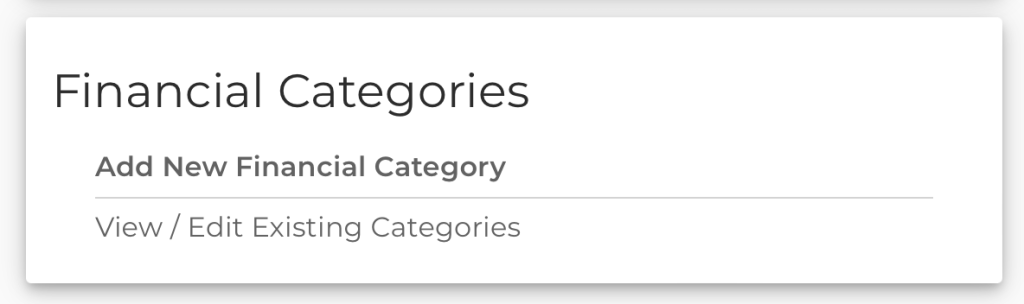
Creating a new category
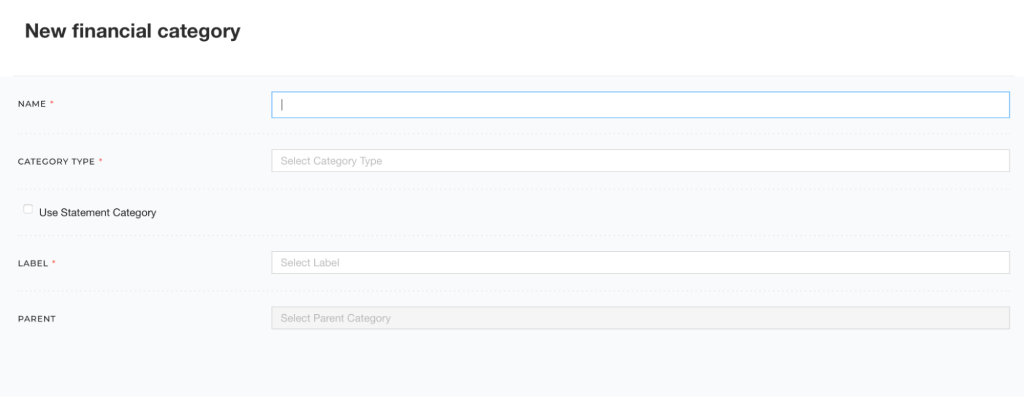
When you opt to create a new category you’ll need a Name, Category Type, Label, and an optional Parent.
The name can be whatever you want but try to keep it simple so the Category Auto Suggestion feature we released recently gives you the best results.
The Category Type is currently either Income Statement or Balance Sheet. This helps us show you the right set of categories when you load a specific document.
The Label is the most important field since this is how you’ll relate your category to normal tax document data. This uses the Data Dictionary fields so you can map 1:1. If you need help with this, reach out to your account representative.
Finally, if you want to leverage our Parent/Child Categories feature, select a Parent from the list of existing categories if this is a child category.
You’ll also notice a Use Statement Category checkbox. This allows you to select a Statement Detail Category instead of a Data Dictionary Label.
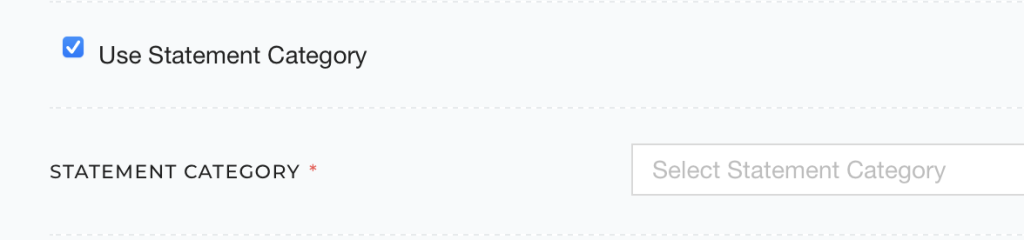
Statement Detail Categories use Data Dictionary Labels behind the scenes anyway, so if you already have a robust list for your Statement Detail Auto-Suggestions, then this is a great way to keep everything mapped closely.
Viewing, disabling, and deleting existing categories
If you just want to see what categories you have available, you can select View / Edit Existing Categories.
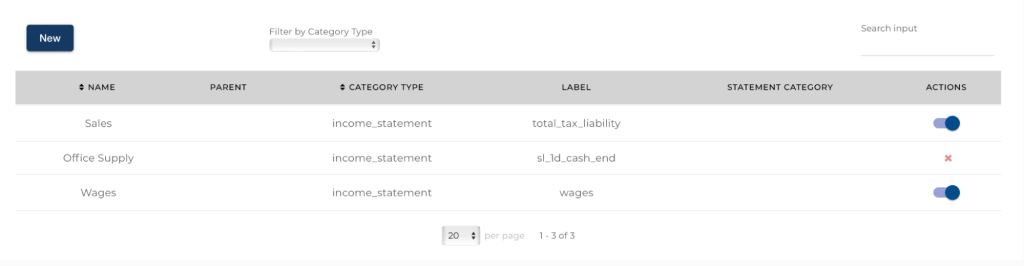
This screen will show you a nice table, with filters, of all of your categories. Here you can edit your custom categories by clicking on a row, delete your custom categories if they are no longer used, and even disable global categories if they don’t fit with your business needs.
A quick note about global categories. As you know FlashSpread provides some useful global financial categories out of the box, and the list is growing all the time, so we’ll enable all existing categories at the time you start the beta. If you don’t want to use them, simply disable all of them, or pick and choose as you like. Finally, if we ever add new categories in the future, they won’t be turned on by default, this means you are free to opt-in whenever it makes sense instead of constantly having to turn global categories off.
We hope you’re excited to finally play around with your own financial categorization. A big thanks again to our existing Financial Documents Beta members and, as always, email your account rep if you want to be part of the beta or email felipe@flashspread.com.
Fixes and Improvements
- Fixed an issue with K-1s being stuck in analysis.
- Fixed an issue with M-1 Net Income Per Books not being read correctly.
- Fixed an issue with 8825 Rental information not being read correctly.
- Fixed an issue with Schedule E page 2 not uploading properly.