

Custom Error Threshold
At FlashSpread we value accuracy over automation, and while we take pride in our ability to turn docs-to-data we know it’ll never be perfect. Sometimes we pick up a number incorrectly and the math doesn’t add up behind the scenes. We may read A as $100, B as $200, and C as $3. When that happens A+B doesn’t equal C. In this case it’s clear that C should have been $300 not $3, easy-peasy! But what happens when we read $299.98 instead of $299.99? Now our system will throw an error for a 1-cent discrepancy!
Some of our Tenants love that about us, as it gives them a sanity check on every calculation. However, recently some tenants have wanted us to be less rigid on the math and not make a big deal out of cents, or dollars, or even 10s of dollars!How do we satisfy everyone and the level of stringency you all want?
Introducing Custom Error Thresholds!
Now, you can reach out to your Customer Support or Implementation Rep and set up an account-based error threshold. You can pick anything between $1 and $1000 and FlashSpread will automatically ignore errors that fall under that threshold.
Don’t worry, the errors won’t go away, instead it’ll be as if you clicked Show Error, and then clicked Ignore Error. The same steps you were going to do anyway, but without the clicks! The best part is, if you go in and change the numbers so that the fields now show an error outside of the threshold, we’ll treat that as a normal error with the bright red text you’d expect!
By default this is, of course, turned off so you can get the best validation FlashSpread provides, but if you’re tired of always clicking to auto-ignore $1 math errors, avoid the carpal tunnel and try out a Custom Error Threshold!
Parent & Child Financial Categories
We’re excited to bring another round of updates to our Financial Document Beta Customers!
Now, you can dive deeper into categorization with Parent/Child Categories.
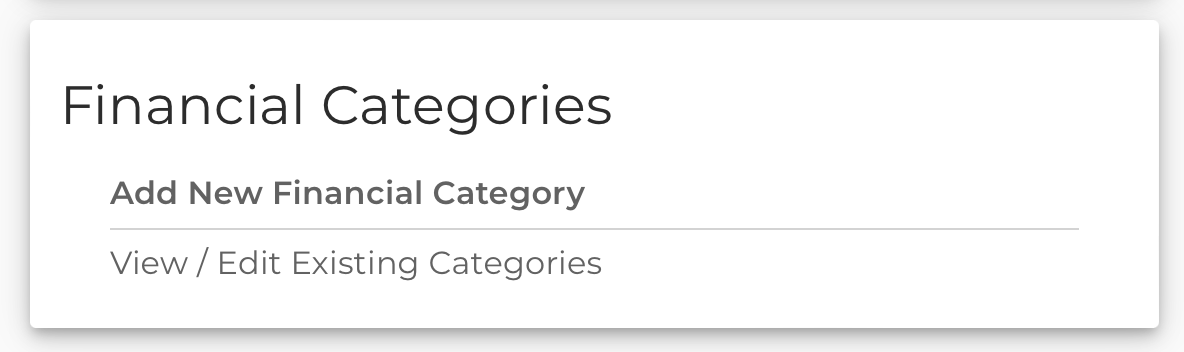
When creating a category, you will be able to define a Parent that it falls under so you can create a hierarchy. Then, when categorizing groups or line-items, you’ll be able to drill into the category you want.
Example Time!
Let’s say you have a category called Income. You decide that it makes sense for your company to categorize Income, but also specify if certain items are Salary or Sales. You can create two new categories, and make their parent Income. Next, when you categorize you’ll be able to mark the Group (or Sub-Group) as Income, and then categorize each line-item as either Salary or Sales.
As a reminder, Custom Categorization is still not fully configurable by tenants alone, but that’s coming soon! In the meantime you’ll need someone from FlashSpread to help you get it set up.
We hope you’re excited to start diving deeper into categorization where it makes sense. As always, if you have any feedback, reach out to your rep, or email felipe@flashspread.com.
Fixes and Improvements
- Added a new permission around creating deals via the UI
- This is a recent highly requested feature, useful for integrated widgets, as turning this off will only allow you to create deals via the API and not the UI.
- Speak to your Customer Support Rep to leverage this new option.
- Fixed mapping issue where 1065 would come over as 1120s for 2021
- Added Uploaded Date to each Upload Center Document Row
- Optimized financial document categorization speed
- Fixed address parsing for form 8825
- Fixed K1 parsing so name is no longer overwritten by multi-line address
- Improved 1040 2021 main form and schedule recognition
- Added missing 2022 field mappings